Popular guides:

Plugins Update
Plugin’s authors regularly release updates. To use all the features, or fix existing issues, keep up-to-date on the plugins’ versions, so you can update them on your installations.
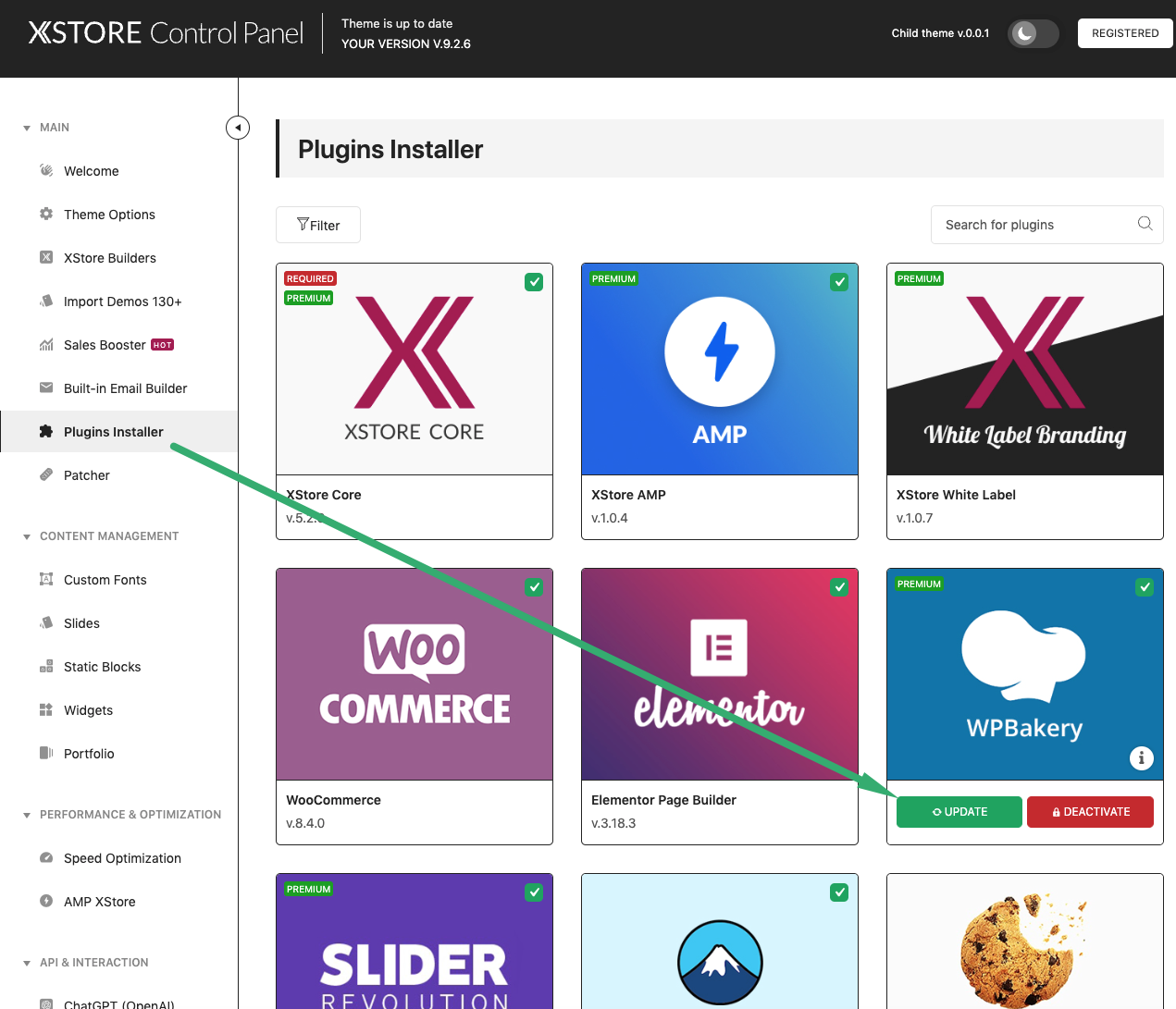
Log in to your Dashboard go to Eminent Documentation > Plugin Installer.
Find notice that new version is available and press the Update button to update the plugin
Download the zipped packages from the Downloads page and extract them to your desktop.
Upload the extracted plugins folders to /wp-content/plugins/ folder on your server with overwriting.
Note: Never update the XStore Core plugin if you have not updated the XStore theme to the latest version yet!
You can download plugin archives from the Downloads page . Then go to Dashboard > Plugins > Add new > Upload plugin > Choose plugin (downloaded from https://www.8theme.com/downloads ) > Install now > click on “Replace current with uploaded” and the plugin will be updated on your site.