FAQ Section

FAQ Section

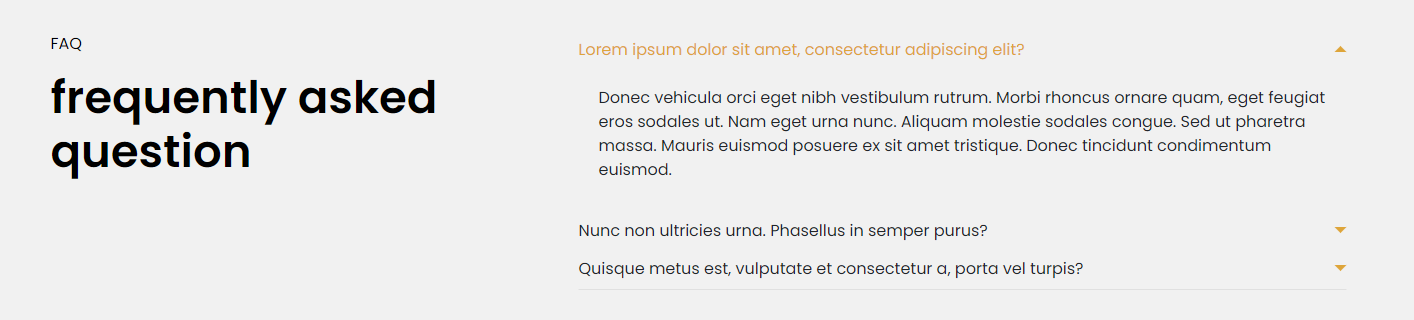
The Eminent Law Theme includes a versatile FAQ section, designed to address common questions and provide clarity to your website visitors. This section is customizable, allowing you to structure frequently asked questions and their corresponding answers in an organized and accessible format.

Steps to Add the FAQ Section:

1. Add the Custom FAQ Block and Enter Content:

  • From the WordPress dashboard, go to ‘Pages‘ and select the page where you want to add the FAQ section or click ‘Add New‘ to create a new page.
  • In the page editor, click the ‘+‘ icon to add a new block, search for the “FAQ” block, and select it.
  • Enter the top heading and main heading for the FAQ section to give it a clear and engaging title.
  • Choose a background color that aligns with your website’s overall color scheme.

3. Customize the FAQ List:

Inside the FAQ list, you can add multiple FAQs by providing:
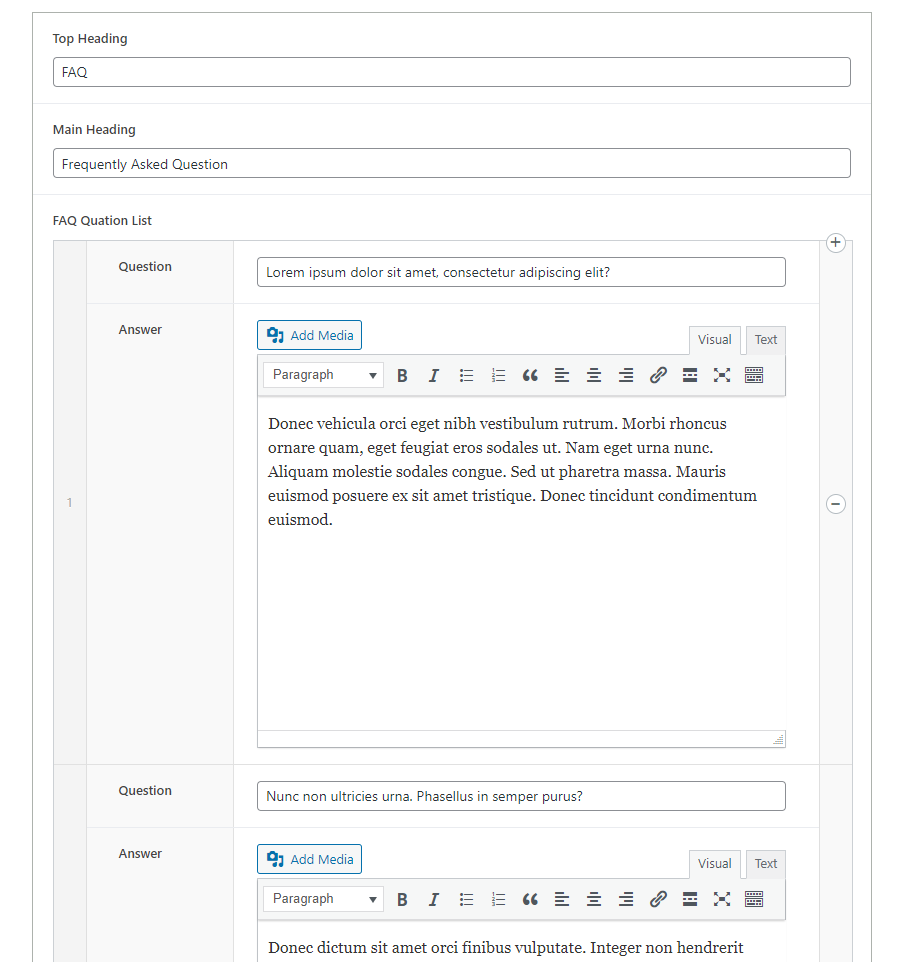
  • Question: Enter the frequently asked question that you want to address.
  • Answer: Provide a clear and concise answer to the corresponding question.
faq-backend

3. Review and Publish:

  • After adding all the questions and answers, review the FAQ section to ensure that it is well-organized and provides valuable information to your audience.
  • Once satisfied, click ‘Publish‘ to make the FAQ section live on your page.
faq-design

By following these steps, you can effectively use the custom FAQ block to address common inquiries, enhancing user experience and helping potential clients find the information they need quickly and easily.

Did this answer your question?