Call To Action Section

Call To Action Section

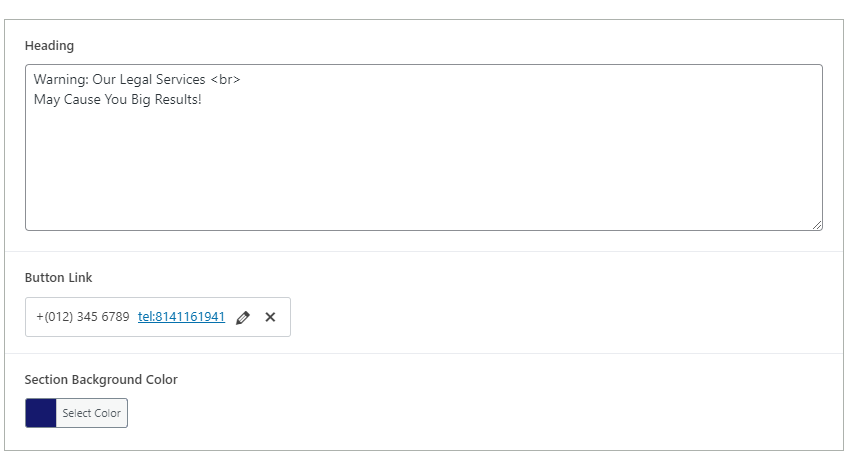
The Eminent Law Theme includes a Call To Action (CTA) section, designed to encourage visitors to take specific actions on your website. This section is simple yet powerful, allowing you to customize the heading, button link, and background color to align with your website’s design and goals.

Steps to Add the Call To Action Section:

1. Add the Custom Call To Action Block and Enter Content:

  • From the WordPress dashboard, go to ‘Pages‘ and select the page where you want to add the Call To Action section or click ‘Add New‘ to create a new page.
  • In the page editor, click the ‘+‘ icon to add a new block, search for the “Call To Action” block, and select it.
  • Enter a compelling Heading that conveys the action you want visitors to take.

2. Customize the Button Link:

  • Add a Button Link that directs users to the desired page, form, or resource when clicked. This could be a link to contact forms, service pages, or downloadable resources.
  • Choose a Background Color that makes the CTA stand out while maintaining harmony with your overall website design.
call-to-action-backend

3. Review and Publish:

  • After entering the heading, button link, and background color, review the section to ensure it effectively encourages user interaction.
  • Once satisfied, click ‘Publish‘ to make the Call To Action section live on your page.
call-to-action-design

By following these steps, you can effectively use the custom Call To Action block to drive engagement and guide visitors toward taking meaningful actions on your website.

Did this answer your question?