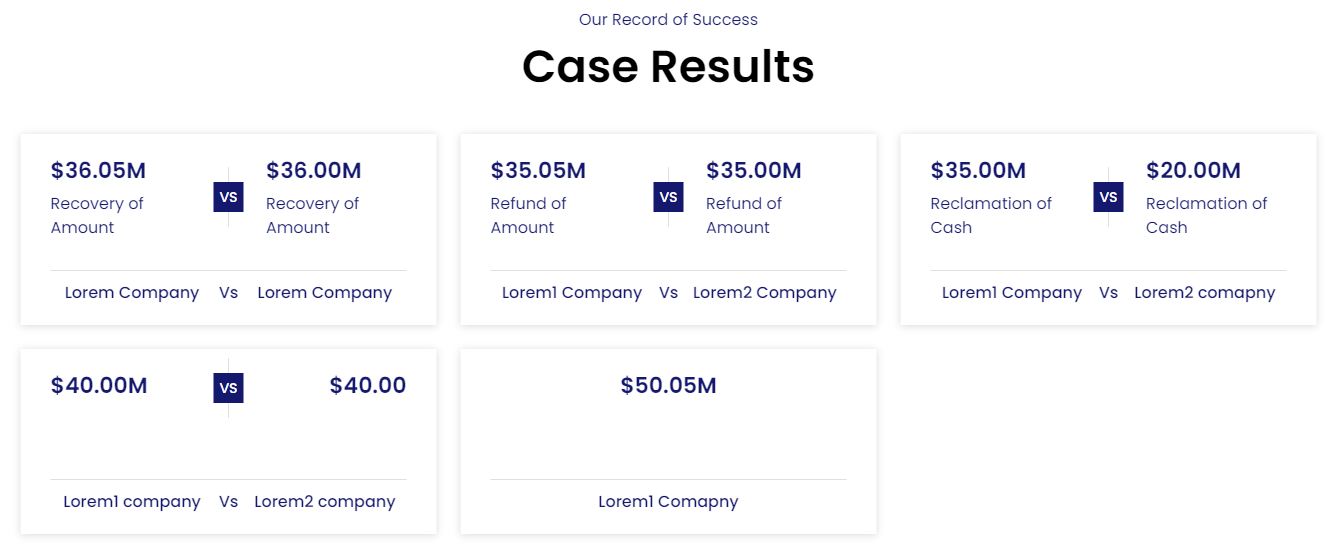
Case Study List Section

Case Study List Section

The Eminent Law Theme provides a customizable Case Study List section, ideal for showcasing your firm’s successful case results. This section allows you to highlight recent or selected case studies, making it easy for potential clients to see the impact of your work.

Steps to Add the Case Study List Section:

1. Add the Custom Case Study List Block and Enter Content:

  • From the WordPress dashboard, go to ‘Pages‘ and select the page where you want to add the Case Study List section or click ‘Add New‘ to create a new page.
  • In the page editor, click the ‘+‘ icon to add a new block, search for the “Case Study List” block, and select it.
  • Enter the top heading and main heading to provide context and draw attention to your case studies.

2. Customize the Case Results Type:

Inside the Case Results Type, choose one of the following options:
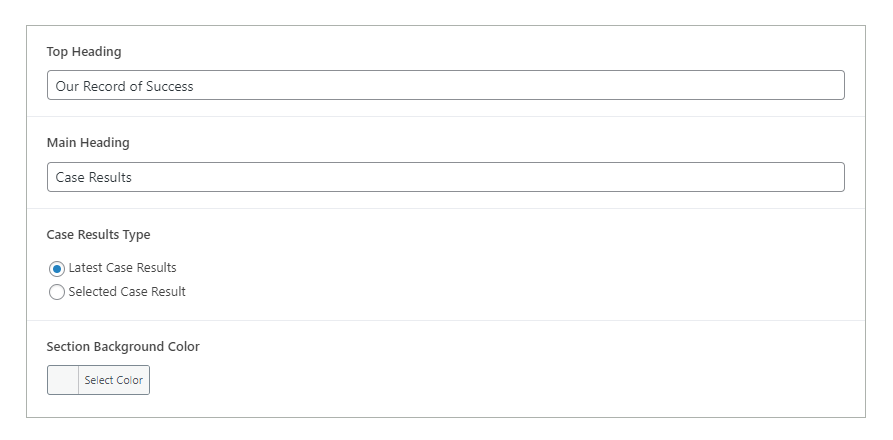
  • Latest Case Results: Select this option to automatically display the latest 9 case results in a row of 3. This keeps your content fresh and up-to-date.
  • Selected Case Results: Choose this option to manually select specific case results that you want to highlight. This allows for greater control over which cases are featured.

3. Select Background Color:

  • Choose a background color that complements your website’s overall design, ensuring that the Case Study List section stands out while remaining cohesive with the rest of the page.
case-study-list-backend

4. Create and Add New Case Result (Optional):

  • If you need to create a new Case Result, navigate to the WordPress dashboard, select the ‘Case Result‘ post type, and click on ‘Add New‘.
  • Fill in the case result details
  • Publish the Case Result, and it will be available for selection or will appear in the “Latest” option if applicable.
case-study-list-design

5. Review and Publish:

  • After configuring the Case Study List section, review the layout to ensure it effectively presents your case studies.
  • Once satisfied, click ‘Publish‘ to make the Case Study List section live on your page.

By following these steps, you can effectively use the custom Case Study List block to showcase your firm’s successes, helping to build credibility and attract potential clients by highlighting your proven track record.

Did this answer your question?