Contact Form Section

Contact Form Section

The Eminent Law Theme includes a customizable Contact Form section, designed to facilitate easy communication between your firm and potential clients. This section allows you to display a contact form along with detailed contact person information, providing a personal touch to the communication process.
Steps to Add the Contact Form Section:

1. Add the Custom Contact Form Block and Enter Content:

  • From the WordPress dashboard, go to ‘Pages‘ and select the page where you want to add the Contact Form section or click ‘Add New‘ to create a new page.
  • In the page editor, click the ‘+‘ icon to add a new block, search for the “Contact Form” block, and select it.
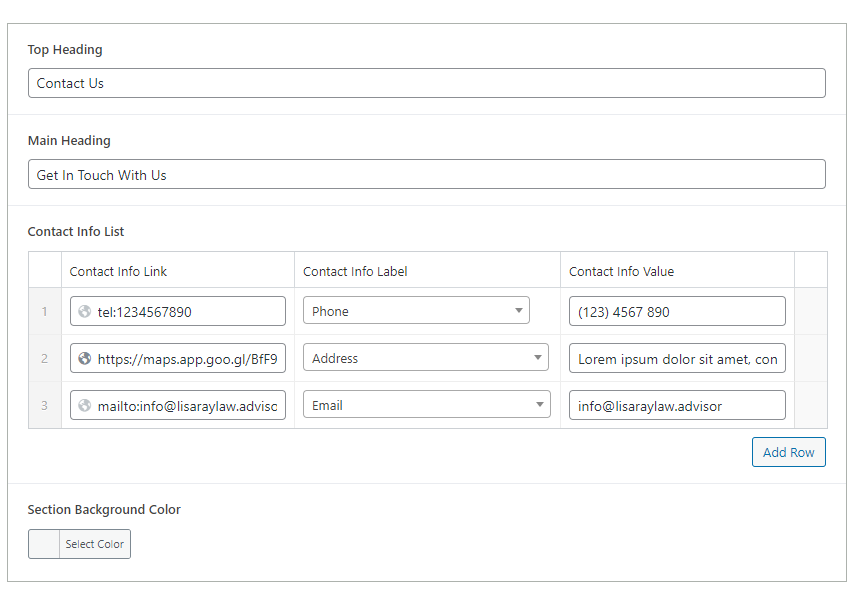
  • Enter the Top Heading, Main Heading, and a brief description that provides context for the contact form.

2. Configure the Contact Person Detail Box:

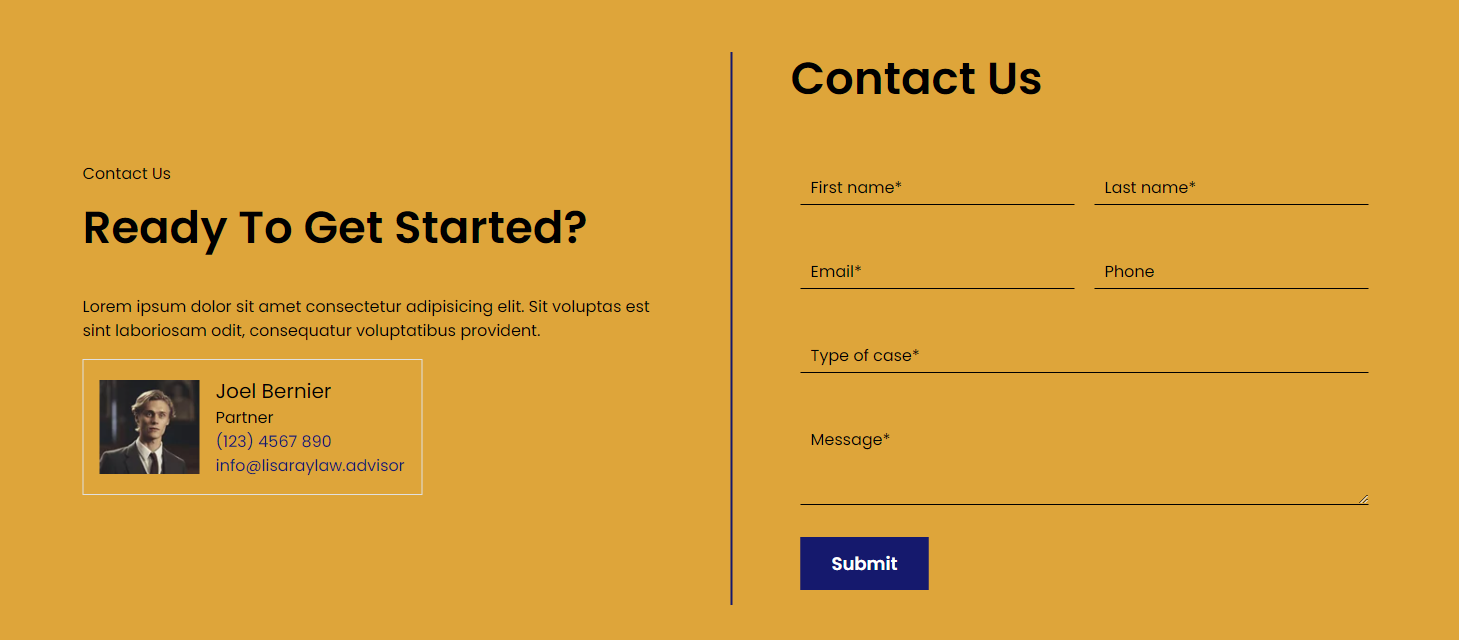
  • Inside the Contact Person Detail Box, choose Yes if you want to display detailed contact person information.
  • If “Yes” is selected, you can add:
    1. Contact Person Image: Upload an image of the contact person.
    2. Contact Person Phone: Enter the phone number of the contact person.
    3. Contact Person Email: Provide the email address of the contact person.

Add Contact Form Shortcode:

  • Enter the shortcode for creating a contact form. You can use either Contact Form 7 or Gravity Forms to generate the form.
  • Paste the shortcode into the designated field to embed the form in the section.
  • Choose a Background Color that complements your website’s design and ensures the contact form section stands out.
contact-info-backend

4. Review and Publish:

  • After configuring the Contact Form section and entering all necessary details, review the layout to ensure it is clear and user-friendly.
  • Once satisfied, click ‘Publish‘ to make the Contact Form section live on your page.
contact-form-backend

By following these steps, you can effectively use the custom Contact Form block to encourage inquiries and provide personalized contact information, making it easy for potential clients to reach out to your firm.

Did this answer your question?