Firm Partner Section

Firm Partner Section

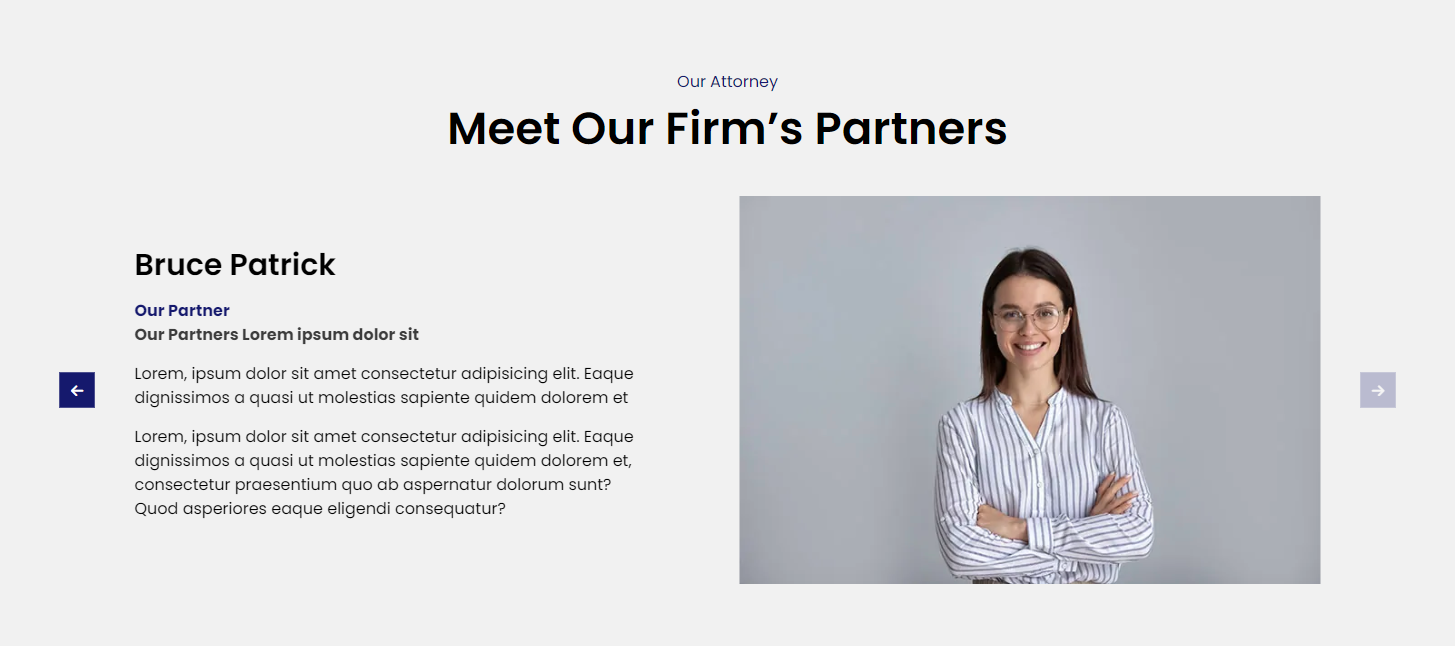
The Eminent Law Theme provides a comprehensive Firm Partner section, designed to feature the key partners of your firm. This section is fully customizable, allowing you to present detailed profiles of your firm’s partners, including their titles, designations, and more.

Steps to Add the Firm Partner Section:

1. Add the Custom Firm Partner Block and Enter Content:

  • From the WordPress dashboard, go to ‘Pages‘ and select the page where you want to add the Firm Partner section or click ‘Add New‘ to create a new page.
  • In the page editor, click the ‘+‘ icon to add a new block, search for the “Firm Partner” block, and select it.
  • Enter the top heading, and main heading, and choose a background color that aligns with your site’s theme.

2. Customize the Partner List:

Inside the Partner List section, you can add details about each firm partner, including:
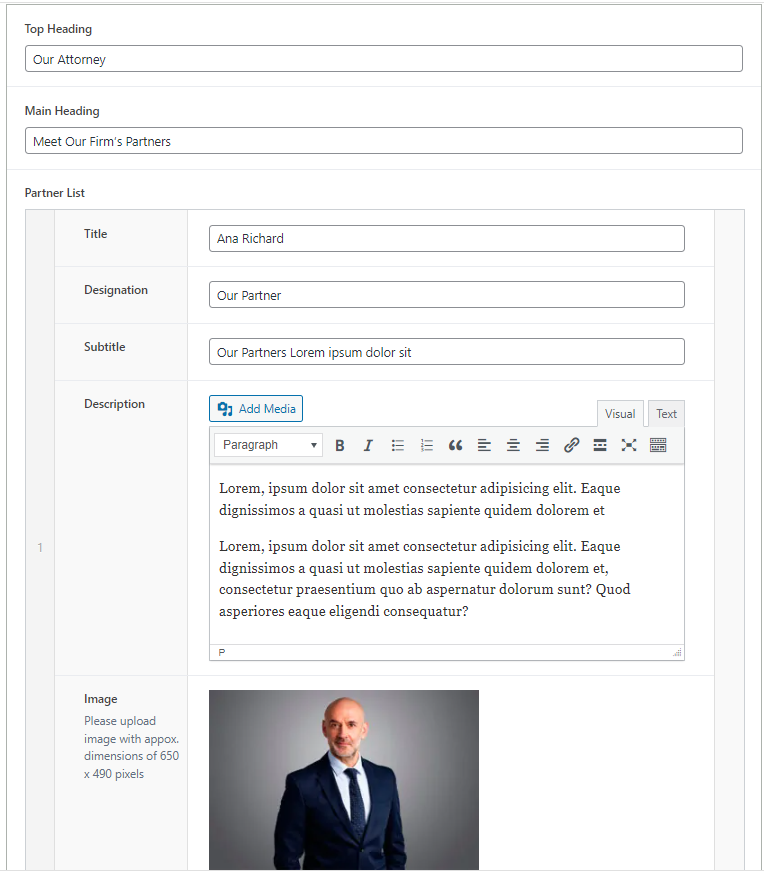
  • Title: The name or title of the firm partner.
  • Designation: The role or position held by the firm partner within the firm.
  • Subtitle: Additional information or a tagline that further describes the partner.
  • Description: A brief biography or description of the partner’s background, expertise, and contributions to the firm.
  • Image: Upload an image of the partner to accompany their profile.
firm-partner-backend

3. Review and Publish:

  • After customizing the Firm Partner section, review the layout to ensure it aligns with your design preferences.
  • Once satisfied, click ‘Publish‘ to make the Firm Partner section live on your page.
firm-partner-design

By following these steps, you can effectively use the custom Firm Partner block to highlight the key partners of your firm, showcasing their expertise and leadership to potential clients and collaborators

Did this answer your question?