Popular guides:

General Information
Eminent Documentation supports the custom WordPress menus.
Custom menus may contain links to pages, categories, custom links or other content types. If you want to add special features to the menu like posts and post categories, product categories, portfolio categories, classes for links, etc., click on the Screen options button in the upper right corner, where you’ll be able to choose many more menu item options.
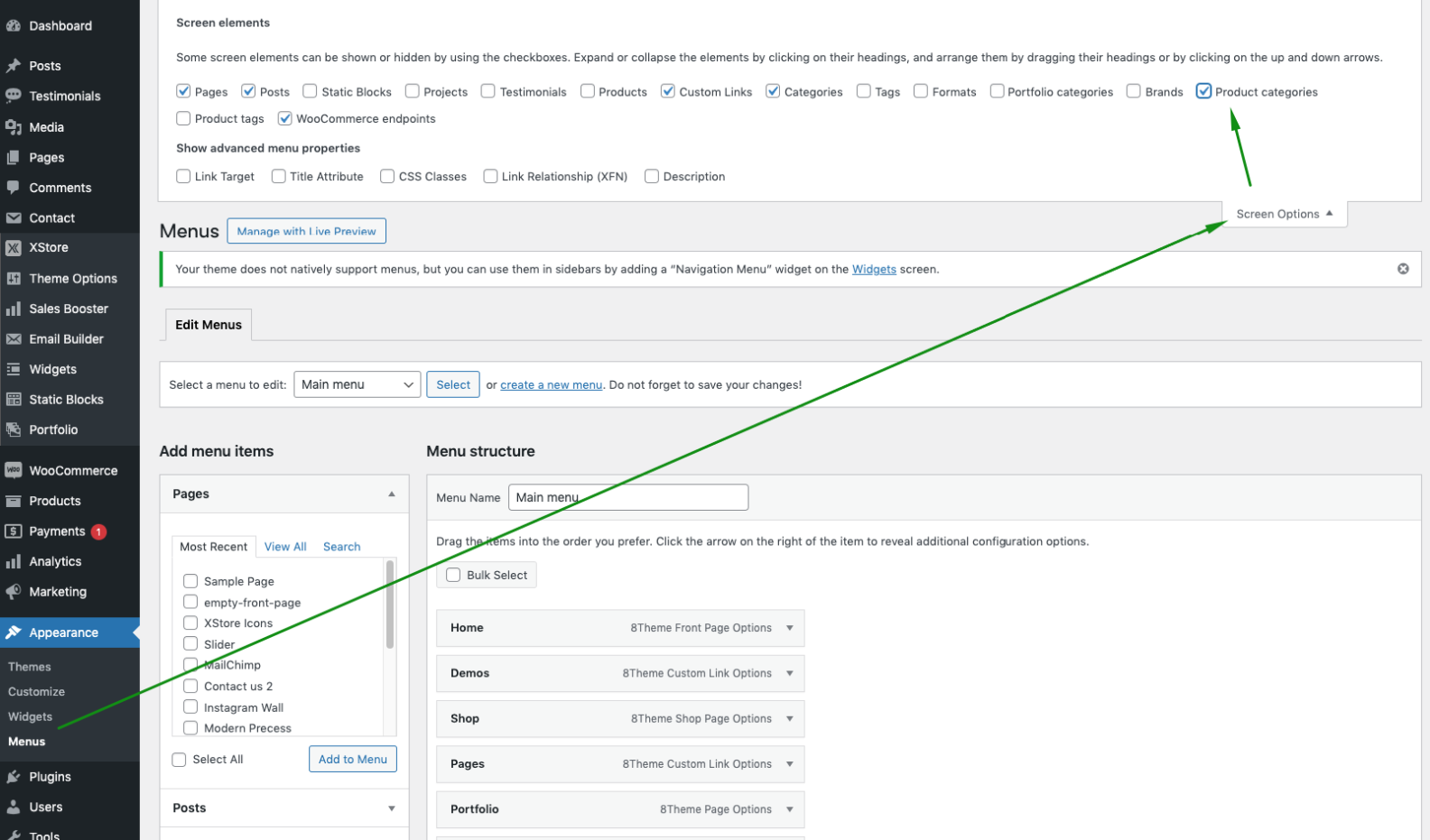
Please be advised that within Eminent Documentation, there is no restriction on the number of menus that can be created.
To create a new menu, navigate to the Dashboard > Appearance > Menus page and click on the Create a new menu link.
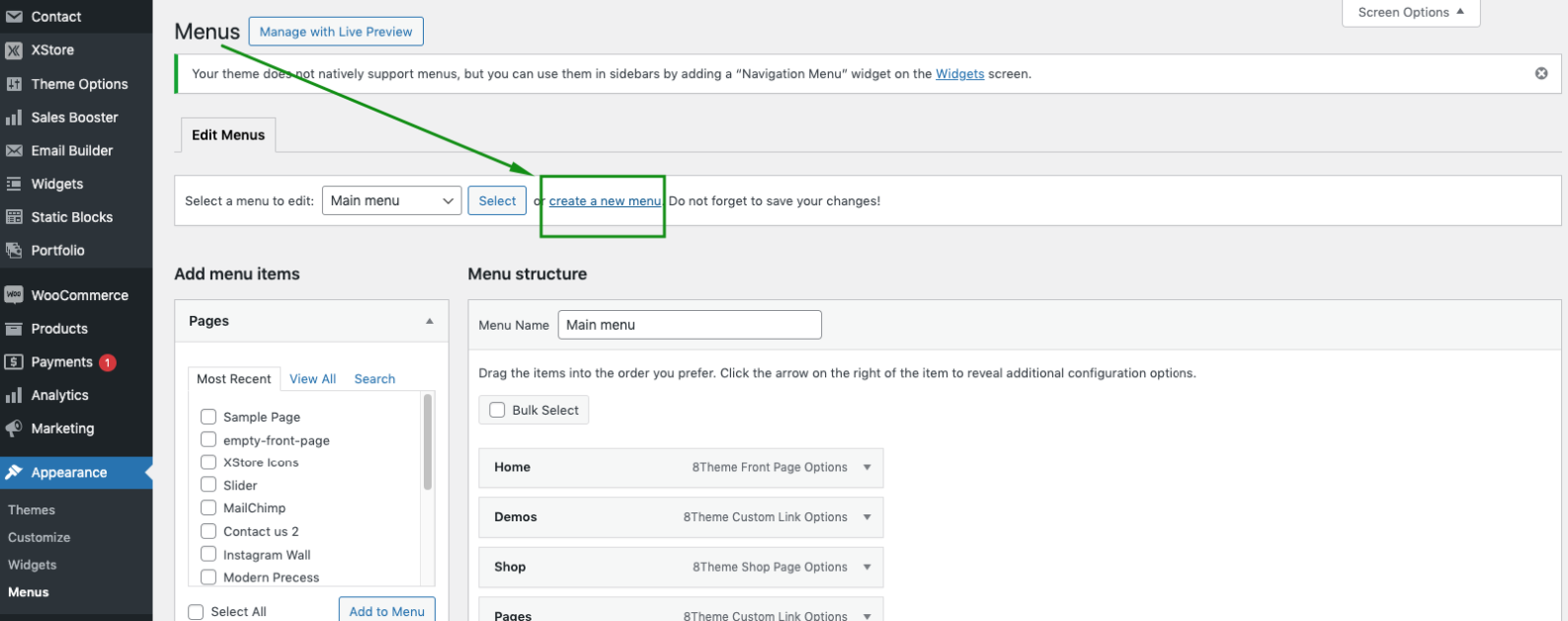
Then, you can add Pages, Posts, and Custom Links from blocks located on the left. When you have your menu items arranged in the order you want, click on Save Menu.