Latest Blog Section

Latest Blog Section

The Eminent Law Theme offers a dedicated Latest Blog section, perfect for showcasing the most recent posts from your blog. This section is customizable, allowing you to highlight the latest content with a title, subtitle, and background color that complements your website’s design.
Steps to Add the Latest Blog Section:

1. Add the Custom Latest Blog Block and Enter Content:

  • From the WordPress dashboard, go to ‘Pages‘ and select the page where you want to add the Latest Blog section or click ‘Add New‘ to create a new page.
  • In the page editor, click the ‘+‘ icon to add a new block, search for the “Latest Blog” block, and select it.
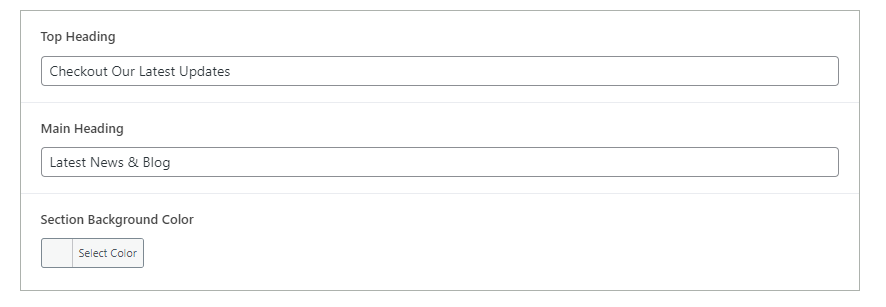
  • Enter the title and subtitle for the Latest Blog section, and choose a background color that aligns with your website’s overall color scheme.
latest-blog-backend

2. Create and Add New Blog Posts (Optional):

  • If you need to create new blog posts to feature in this section, navigate to the WordPress dashboard, select the ‘Posts‘ post type, and click on ‘Add New‘.
  • Write your blog post, including a title, content, and any relevant images or media.
  • Publish the post, and it will automatically appear in the Latest Blog section if it is among the most recent posts.
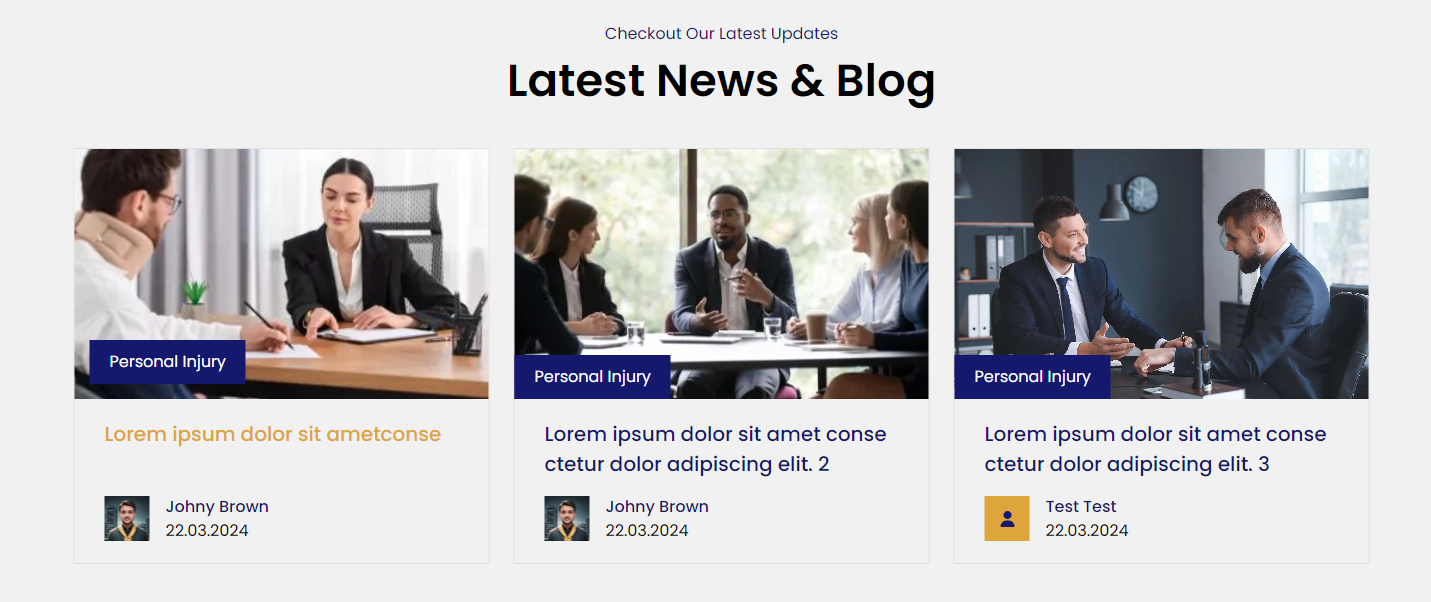
latest-blog-design

3. Review and Publish:

  • After customizing the Latest Blog section, review the layout to ensure it effectively showcases your recent content.
  • Once satisfied, click ‘Publish‘ to make the Latest Blog section live on your page.

By following these steps, you can use the custom Latest Blog block to keep your audience engaged with the most recent updates and insights from your blog, driving continuous interest and traffic to your content.

Did this answer your question?