Team Section

Team Section

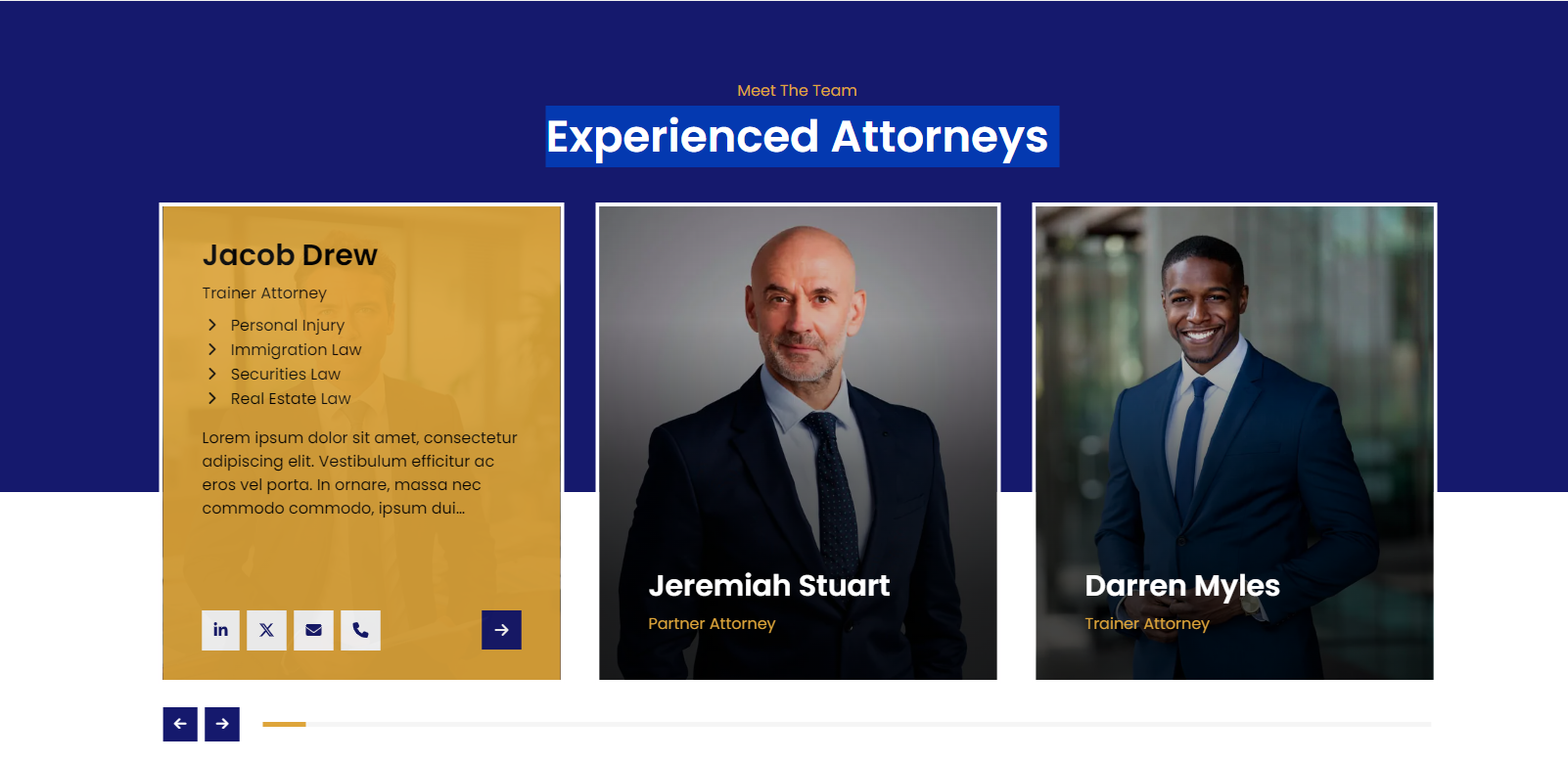
The Eminent Law Theme provides a powerful and customizable Team section, perfect for showcasing the profiles of your law firm’s attorneys. This section allows you to highlight your team’s expertise and qualifications, with flexible display options to suit your website’s design.
Steps to Add the Team Section:

1. Add the Custom Team Block and Enter Content:

  • From the WordPress dashboard, go to ‘Pages‘ and select the page where you want to add the Team section or click ‘Add New‘ to create a new page.
  • In the page editor, click the ‘+‘ icon to add a new block, search for the “Team” block, and select it.
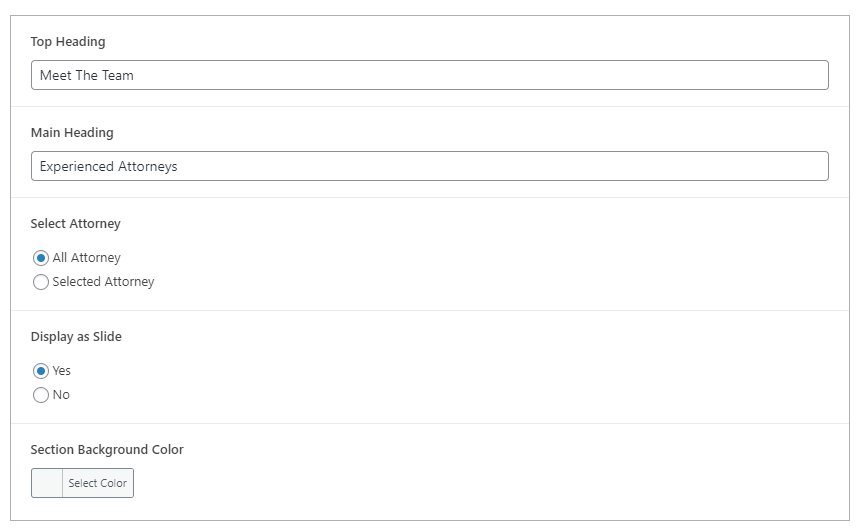
  • Enter a custom top heading, main heading, and a call-to-action button, if desired, to direct visitors to another page or a contact form.
team-section-backend

2. Customize the Attorney Profiles:

Select Attorney:

  • All Attorney: Choose this option to display all attorney profiles that have been added to your site.
  • Selected Attorney: Select this option to manually choose specific attorneys you want to feature in the section. You can pick from the existing attorney profiles in your library.

Display as Slide:

  • Yes: If selected, the attorney profiles will be displayed as a slider, allowing users to scroll through the profiles horizontally.
  • No: If selected, the attorney profiles will be displayed in a standard section layout, with a minimum of 3 profiles displayed in a row.
image
team-slider-design

3. Create and Add New Attorney Profiles (Optional):

  • If you need to create new attorney profiles, navigate to the WordPress dashboard, select the ‘Team’ post type, and click on ‘Add New‘.
  • Fill in the attorney’s details, including their name, practice area, contact information, and a brief biography.
  • Publish the attorney profile, and it will be available for selection in the Team block.

4. Review and Publish:

  • After customizing the Team section, review the layout to ensure it aligns with your design preferences.
  • Once satisfied, click ‘Publish‘ to make the Team section live on your page.

By following these steps, you can effectively use the custom Team block to present your law firm’s attorneys, showcasing their qualifications and areas of expertise in a visually appealing manner.

Did this answer your question?