Work Process Section

Work Process Section

The Eminent Law Theme includes a detailed Work Process section, allowing you to clearly outline and present the steps involved in your firm’s working process. This section is fully customizable, enabling you to add various elements to make the process clear and visually appealing.

Steps to Add the Work Process Section:

1. Add the Custom Work Process Block and Enter Content:

  • From the WordPress dashboard, go to ‘Pages‘ and select the page where you want to add the Work Process section or click ‘Add New’ to create a new page.
  • In the page editor, click the ‘+‘ icon to add a new block, search for the “Work Process” block, and select it.
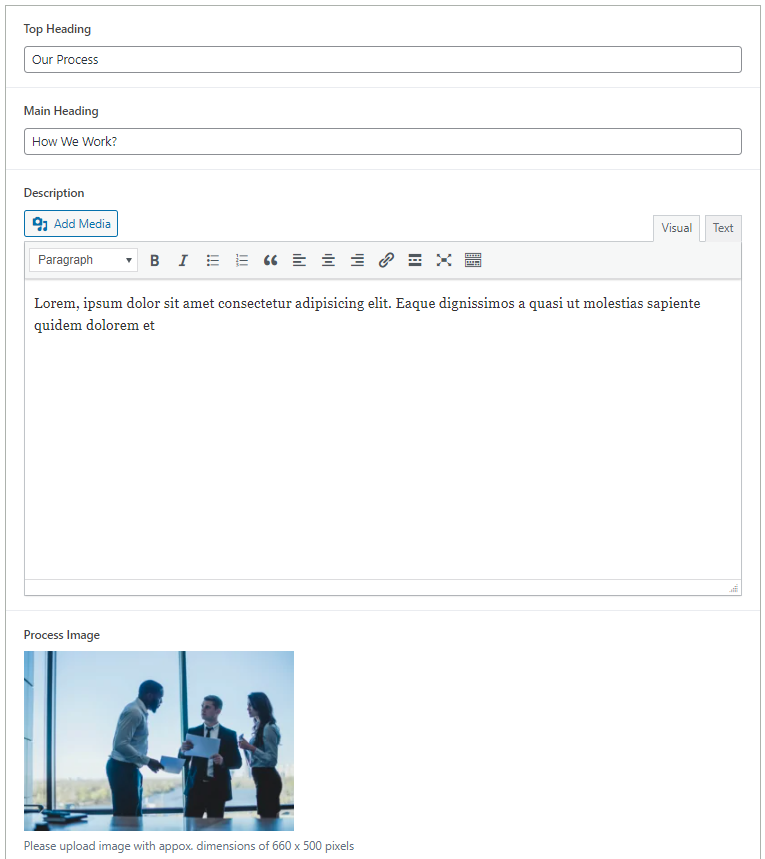
  • Enter the top heading, main heading, and a description that provides an overview of your firm’s work process. Additionally, upload an image that represents the work process or your firm’s ethos.
  • Choose a background color that aligns with your site’s design.

2. Customize the Process List:

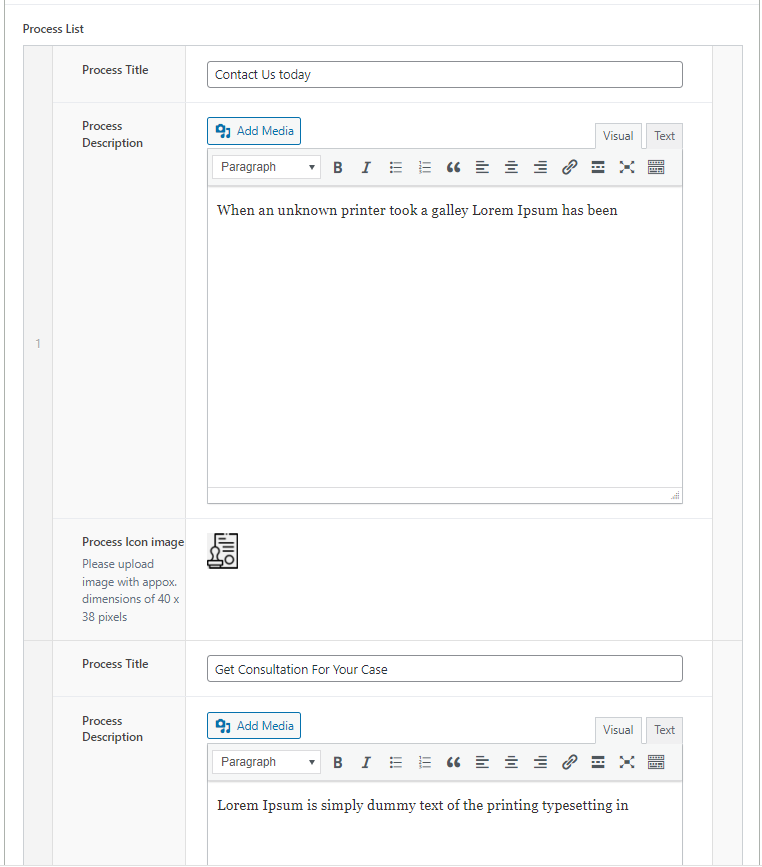
Inside the Process List subsection, you can define each step of your work process by adding:
  • Process Title: The name or title of the specific step in the process.
  • Process Description: A brief description explaining what this step entails.
  • Process Image Icon: Upload an icon or small image that visually represents this step.
work-process-backend-1
work-process-backend-2

3. Review and Publish:

  • After customizing the Work Process section, review the layout to ensure that each process step is clearly defined and visually cohesive.
  • Once satisfied, click ‘Publish’ to make the Work Process section live on your page.
work-process-design

By following these steps, you can effectively use the custom Work Process block to outline the workflow of your firm, providing clarity and transparency to your clients and website visitors.

Did this answer your question?