Popular guides:

Practice Area
We are pleased to inform you that the Eminent Law Theme can be effectively utilized to display various areas of expertise as practice areas. This feature is ideal for showcasing specialties such as Financial Planning, Divorce Law, Probate Law, Child Custody, Adoption, and more.
To create your Practice Areas Page, navigate to your WordPress dashboard, select ‘Pages’, and proceed to create a new page. From there, you can add a new Practice Area by selecting a Gutenberg block name ‘Practice Area’. After creating your page, you can designate it as the primary page for all your practice areas.
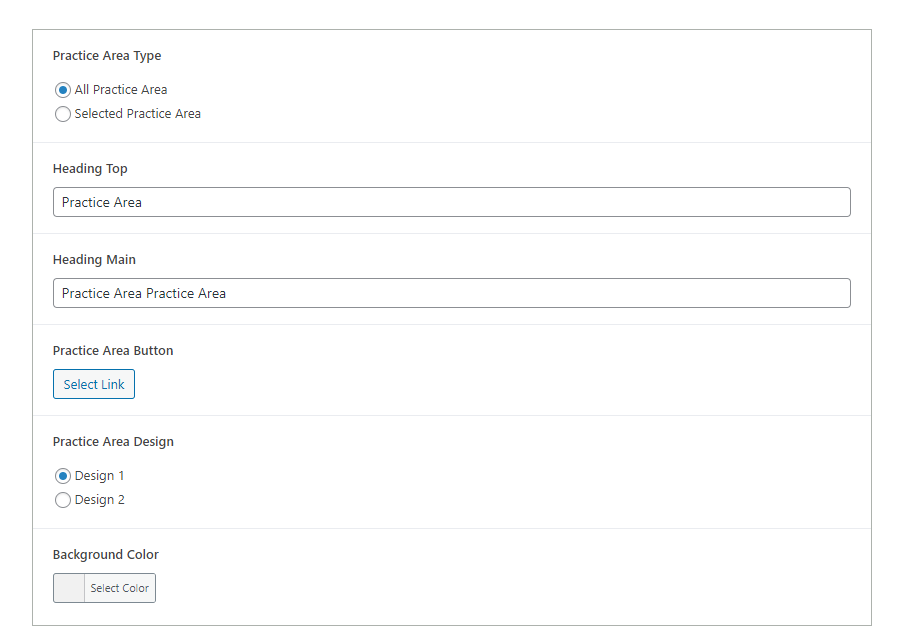
We encourage you to configure the other necessary settings in ‘Theme Options’ to tailor the practice area page to your preferences. To add a new practice area of your own choice, simply go to the ‘Dashboard’, select ‘Practice Area’, and then click on ‘Add New’. Fill in the details and publish to display it on your Practice Areas Page.
By following these steps, you can effectively use the Eminent Law Theme to showcase your diverse legal expertise.
Should you require any further assistance, please do not hesitate to reach out to us through the support forum.