Popular guides:

Demo Content
To make setting up your site easier and faster, you can import Demo Content.
This allows you to import pages, posts, team, case results, locations, testimonials, simple menu, theme option setting, or additional pages from our demos.
We kindly request that you refrain from renaming the theme folder before importing the demo content. Additionally, it is advisable to deactivate any third-party plugins before initiating the import process.
To import Demo Content, follow these steps:
Install and activate Eminent Law Theme theme.
Register the theme using the ThemeForest purchase code.
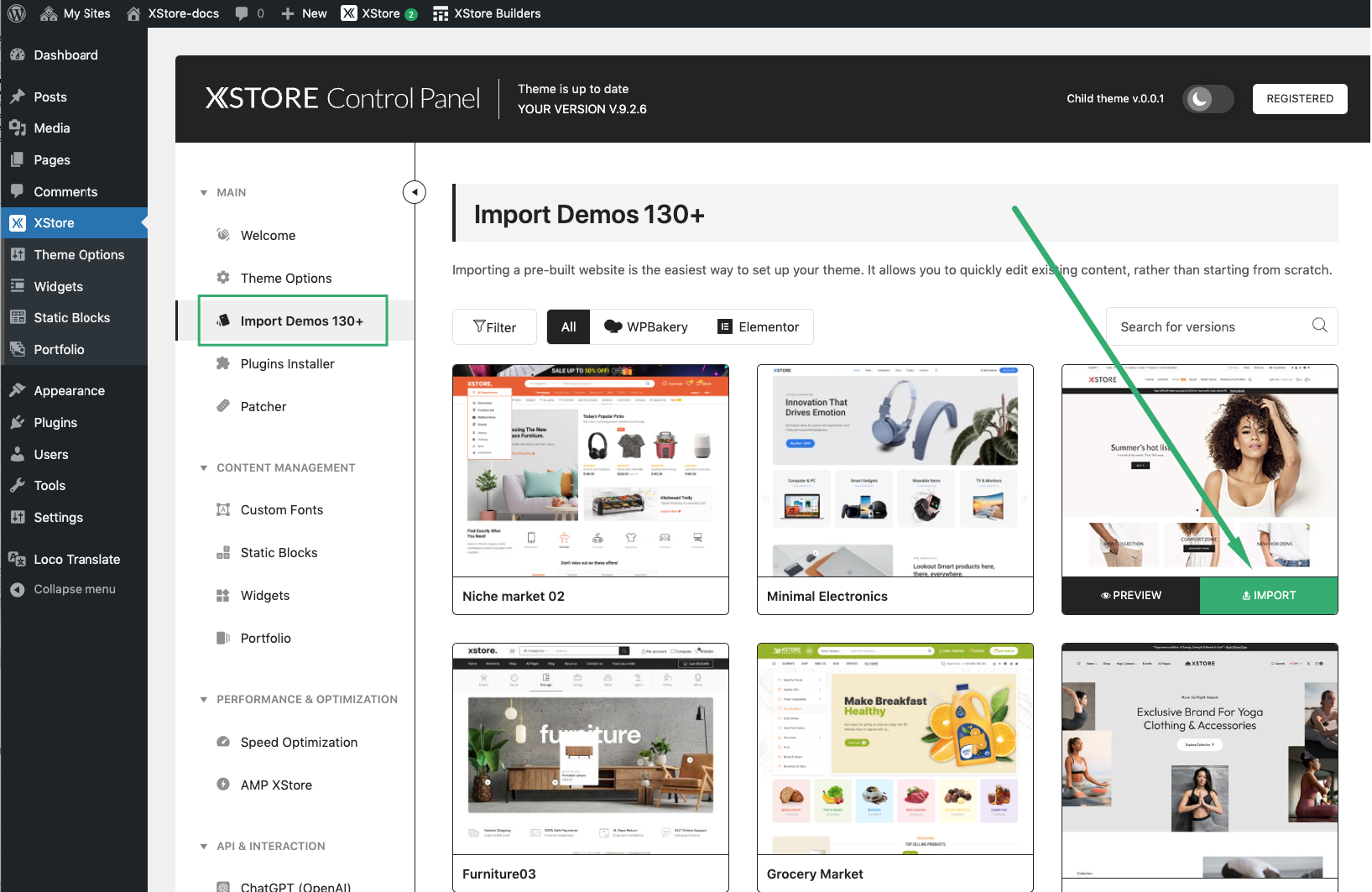
Go to Eminent Law Theme > Import Demos and choose the demo you want to install. Press the Import button.
Go through the installation steps (plugins installation, choose the demo content you want to install).
Wait until you see the Success message. Check the frontend.
Note: Please note that the images obtained after importing demo content are not intended for use on live sites or redistribution. If you wish to identify the image sources for licensing purposes, please utilize an image search engine .