Popular guides:

How to Register/Deregister Eminent Law Theme Theme (Live/Staging Websites)
Once Eminent Law Theme is installed, the next step is to register your purchase using the provided purchase code. Registering Eminent Law Theme is essential to enable auto-updates for the theme and plugins, install demos, and import studio blocks. To register Eminent Law Theme, simply navigate to the Eminent Law Theme Dashboard, click on Welcome, and then select Theme Registration.
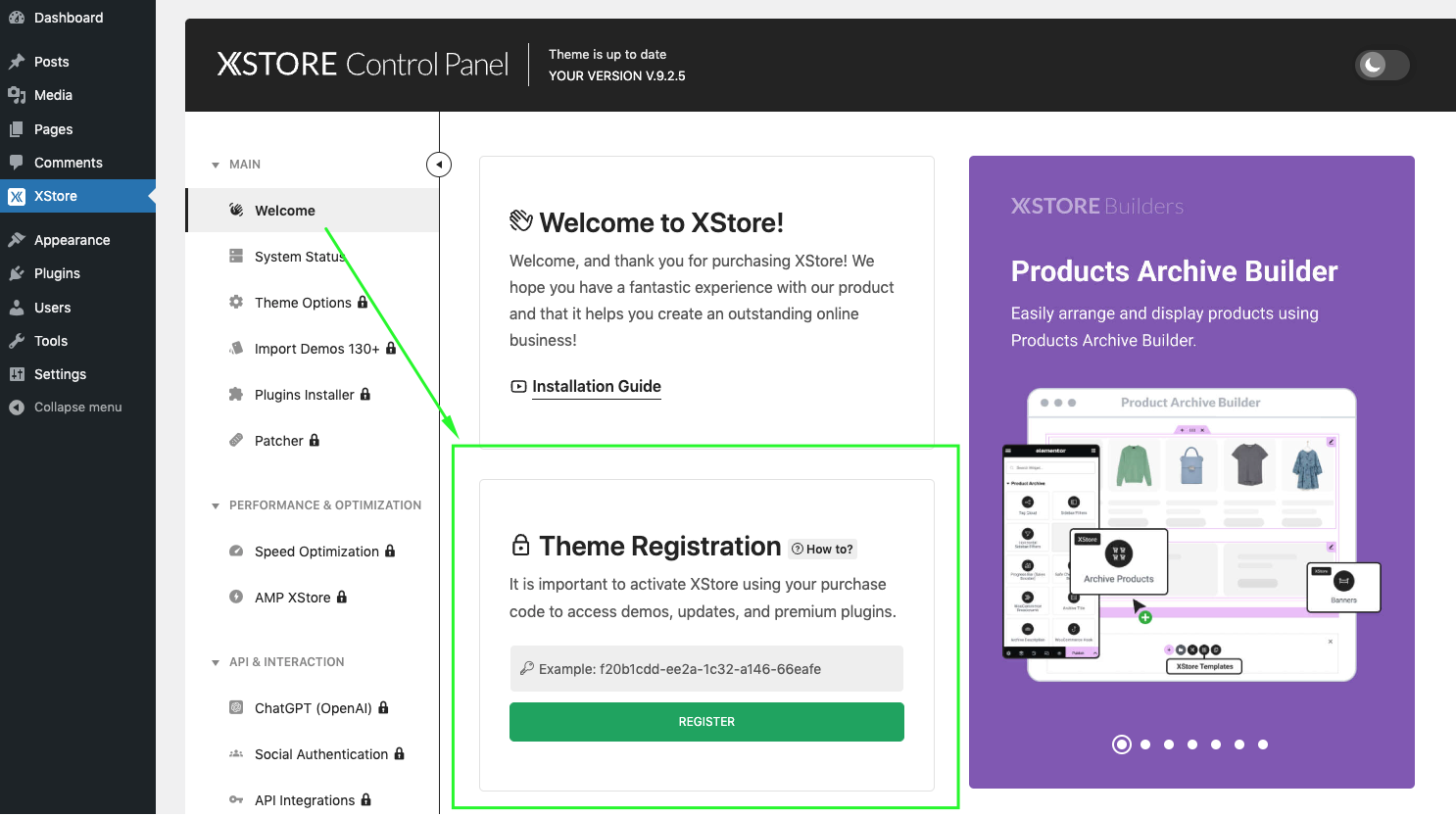
According to the Envato licensing terms and conditions the usage of a license is limited to only one website. However, Eminent Law Theme provides the option of 1 live site licensing and 2 staging site licensing for testing purposes per purchase code. This means that you can set up two staging sites using a single license. Please note that if you intend to have multiple live sites, you will need to acquire a separate license for each individual site.
You can purchase an additional copy of the Eminent Law Theme theme by following this link.
To use the license for a staging website, we have developed a set of patterns to make it easier for you. Here is a list of patterns that match the criteria for staging sites. Please choose one of these patterns for your staging site, and it will be in compliance with our licensing terms.
localhost
localhost*
127.0.0.0
127.0.0.1
test.*
local.*
dev.*
staging.*
website.*
*.test
*.local
*.dev
*.staging
*.wpengine.com
*.wpcomstaging.com
*.flywheelstaging.com
*.dreamhosters.com
*.kinsta.cloud
*.pantheonsite.io
*.myftpupload.com
*.cloudwaysapps.com
*.staging.wpmu.host
*.pressdns.com
*WooCommerce*
*Wordpress*
*woocommerce*
*wordpress*
*.demo
demo*
backup.*
So, for example, if you choose the pattern dev. or test. , your staging site URL would look like this:
dev.yourdomain.com OR test.yourdomain.com
By using these patterns, you can easily set up your staging site and ensure it aligns with the licensing terms.
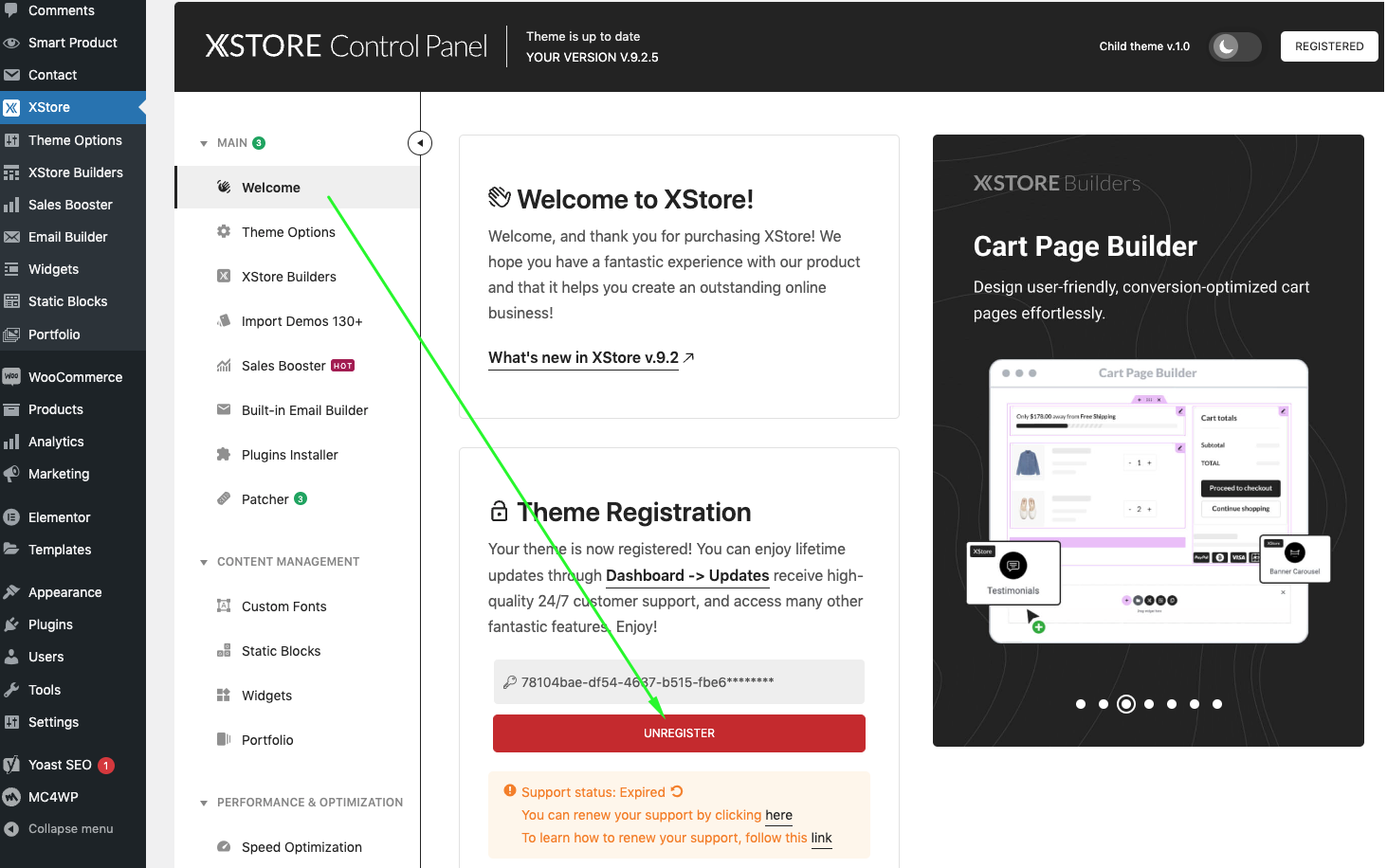
You have the option to unregister the theme by accessing the Eminent Law Theme > Welcome Panel. For detailed instructions, please refer to the screenshot provided below:
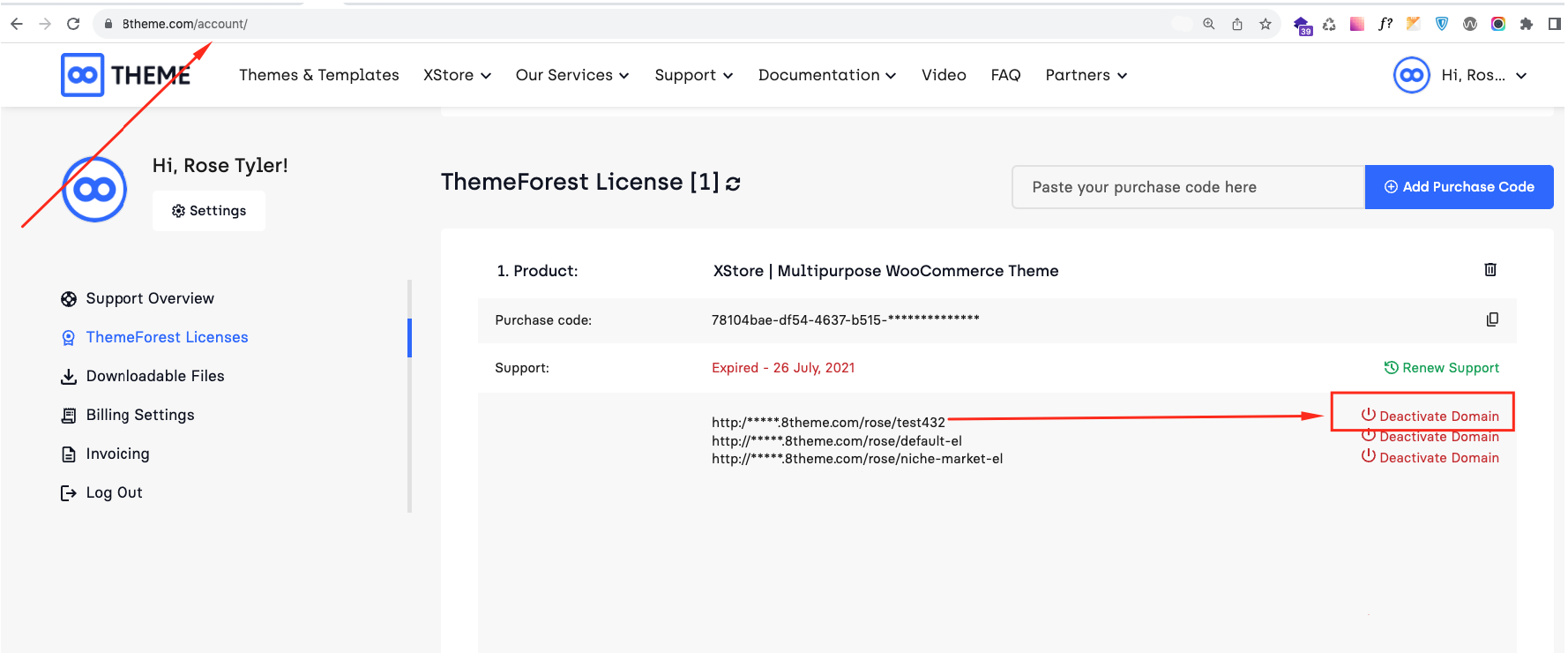
In situations where you find yourself without access to your website and are unable to deactivate it using the Eminent Law Theme admin panel, we provide a simple solution through the Eminent Law Theme dashboard. You can conveniently deactivate your website by utilizing the features available in the Eminent Law Theme dashboard.
If you encounter an activation limit error, please do not hesitate to contact us for assistance. Once we receive your message, our team will promptly review your activations and provide you with the necessary help to resolve the issue.